

 English
 Deutsch
 Français
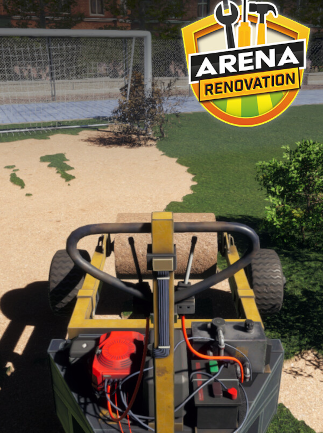
📸 A termék oldalán található képek némely esetben illusztrációk, ezek a valóságban eltérhetnek.

Arena Renovation (PC)
📝 Termék leírása
Arena Renovation (PC) - Steam Key - GLOBAL\n\nTransform Your Digital Fighting Arena\n
Arena Renovation is a PC simulation game available globally via Steam key. Manage and upgrade your own fighting arena, balancing financial concerns with the needs of fighters and spectators.
This detailed simulation offers a unique blend of strategic management and satisfying visual improvements.
\n\nKey Features:\n- \n
- Detailed Arena Management: Oversee all aspects of your arena, from construction and maintenance to ticket pricing and staff management. \n
- Fighter Development: Recruit, train, and manage your roster of fighters, improving their stats and popularity to draw larger crowds. \n
- Upgrade & Expansion: Expand your arena\'s capacity, add new facilities (e.g., gyms, training rooms, VIP lounges), and upgrade existing infrastructure to increase your revenue and improve fighter performance. \n
- Realistic Financial System: Manage income and expenses meticulously, balancing investments with profitability. Track your progress with detailed financial reports. \n
- Visually Stunning Environments: Build and customize a visually impressive arena, experimenting with lighting, seating arrangements, and other aesthetic features. \n
- Strategic Gameplay: Make smart decisions about upgrades, fighter management, and ticket pricing to maximize profits and establish your arena as a top-tier venue. \n
- \n
- OS: Windows 10 64-bit \n
- Processor: Intel Core i5-4460 or AMD FX-6300 \n
- Memory: 8 GB RAM \n
- Graphics: NVIDIA GeForce GTX 960 or AMD Radeon R7 370 \n
- DirectX: Version 11 \n
- Storage: 10 GB available space \n
- \n
- A Steam key for Arena Renovation for PC. \n
- Global activation – playable in any region. \n
System requirements are subject to change.
Please check the latest requirements on the Steam store page before purchase.
\n\n🎮 Steam
Nyisd meg a Steam klienst.
Kattints a bal felső sarokban: „Játék" > „Termék aktiválása a Steamen…"
Kattints a „Tovább", majd „Elfogadom" gombra.
Írd be a kapott Steam kódot (pl. XXXX-YYYY-ZZZZ).
Kattints a „Tovább" gombra a játék aktiválásához.
