

 English
 Deutsch
 Français
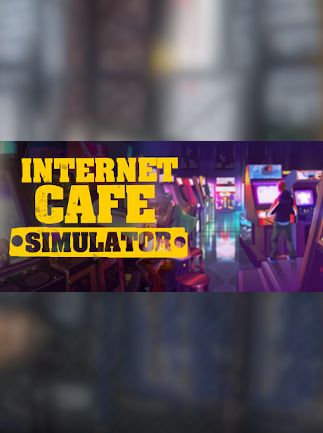
📸 A termék oldalán található képek némely esetben illusztrációk, ezek a valóságban eltérhetnek.

Internet Cafe Simulator
862 Ft
1,034 Ft
2.16 €
2.59 €
Akció!
A termék ára tartalmazza az ÁFA-t!
✗ Nincs készleten
100% biztonságos fizetés
Azonnali letöltés
24/7 ügyfélszolgálat
📝 Termék leírása
Internet Cafe Simulator - Steam Key - GLOBAL\n\n
Manage your own internet cafe from the ground up in this engaging simulation game. This Steam key grants global access, meaning you can play regardless of your region.
\n\nKey Features:\n- \n
- Realistic Simulation: Experience the day-to-day challenges of running a successful internet cafe, from managing finances and upgrading equipment to maintaining customer satisfaction. \n
- Customization Options: Decorate your cafe, choose your hardware, and tailor the experience to attract a diverse clientele. \n
- Strategic Management: Make smart decisions about pricing, promotions, and customer service to maximize profits and build a thriving business. \n
- Diverse Customer Base: Interact with a range of customers, each with unique needs and preferences. \n
- Progressive Upgrades: Invest in new technologies and amenities to keep your cafe competitive and appealing. \n
- Global Access: This Steam key works worldwide, providing unrestricted gameplay. \n
- \n
- Platform: Steam \n
- Region: Global \n
- Activation: Steam activation key delivered instantly upon purchase. \n
- \n
- One (1) Internet Cafe Simulator Steam Key for global activation. \n
This product is a digital download.
No physical product will be shipped. Requires a Steam account to play.
\n\n🎮 Steam
1
Nyisd meg a Steam klienst.
2
Kattints a bal felső sarokban: „Játék" > „Termék aktiválása a Steamen…"
3
Kattints a „Tovább", majd „Elfogadom" gombra.
4
Írd be a kapott Steam kódot (pl. XXXX-YYYY-ZZZZ).
5
Kattints a „Tovább" gombra a játék aktiválásához.
