

 English
 Deutsch
 Français
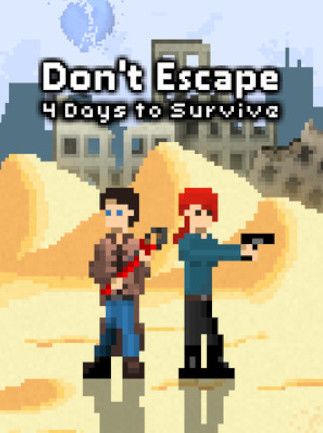
📸 A termék oldalán található képek némely esetben illusztrációk, ezek a valóságban eltérhetnek.

Don\'t Escape: 4 Days to Survive (PC)
📝 Termék leírása
Don\'t Escape: 4 Days to Survive (PC) - Steam Key - GLOBAL\n\n
Experience the chilling tension of Don\'t Escape: 4 Days to Survive, a gripping survival horror game available now as a global Steam key.
\n\nKey Features:\n- \n
- Intense Survival Horror Gameplay: Immerse yourself in a terrifying atmosphere filled with suspense and unpredictable events. \n
- Four-Day Survival Challenge: Test your resourcefulness and wit as you struggle to survive for four in-game days against overwhelming odds. \n
- Limited Resources and Crafting: Scavenge for vital supplies, craft essential tools, and manage your resources carefully to maximize your chances of survival. \n
- Multiple Endings: Your choices and actions directly impact the outcome, leading to various possible endings. Discover them all! \n
- Chilling Atmosphere and Sound Design: A meticulously crafted soundscape and visual design build tension and enhance the immersive horror experience. \n
- Steam Activation: Easy and convenient activation through your Steam account.
This is a GLOBAL key, meaning it can be redeemed from anywhere in the world.
\n
This product is a Steam Key for PC and is valid globally.
\n\nWhat You Get:\nUpon purchase, you will receive a unique Steam key that allows you to download and play Don\'t Escape: 4 Days to Survive on your PC.
\n\nSystem Requirements (Check the Steam page for the most up-to-date requirements):\nMinimum:\n(Insert Minimum System Requirements Here - to be filled by the product owner)
\nRecommended:\n(Insert Recommended System Requirements Here - to be filled by the product owner)
\n\n\n\n🎮 Steam
Nyisd meg a Steam klienst.
Kattints a bal felső sarokban: „Játék" > „Termék aktiválása a Steamen…"
Kattints a „Tovább", majd „Elfogadom" gombra.
Írd be a kapott Steam kódot (pl. XXXX-YYYY-ZZZZ).
Kattints a „Tovább" gombra a játék aktiválásához.
