A képek némely esetben illusztrációk, a valóságban eltérhetnek.
Gyors információk
Termék leírása
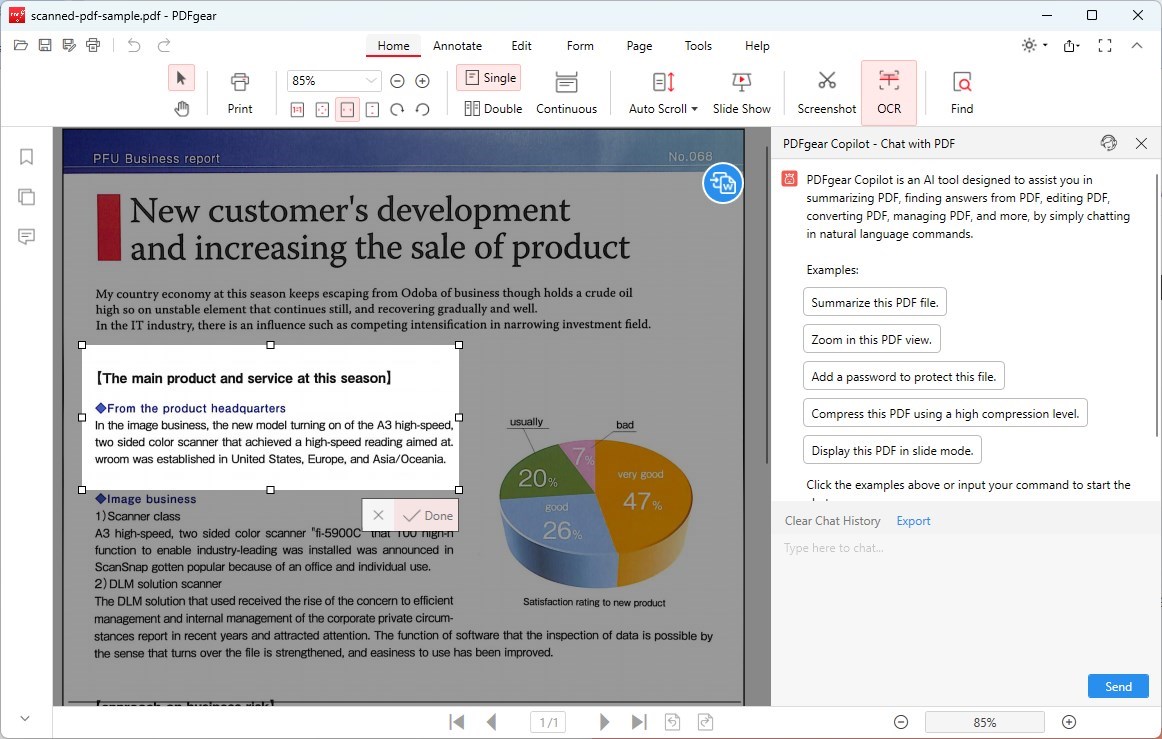
Create “snapshots” of images and text from opened documents, file menus, Web pages, presentations, Flash-content, or PDF files with a few clicks. ABBYY Screenshot Reader turns text within any image captured from your screen into an editable format without retyping – making it easy to reuse in digital documents, emails or reports.
It accommodates more than 180 languages with outstanding recognition accuracy. If you want to grab some text from an image file, Web site, presentation, or PDF you can quickly turn text areas into truly editable text that you can paste directly into an open application, edit or save as Microsoft Word or Excel documents.
Prepare small – size images for your presentations, reports and other documents. Open the image, create the screenshot, copy it to the clipboard and then insert into the document with CTRL+V keys or “paste” functions.
Features of ABBYY Screenshot Reader: Capture screenshot imagesCapture an interesting part of the screen and save it as an image or share with your friends. Just mark certain part of the screen with ABBYY Screenshot Reader and send it as image by e-mail or by messenger or store it on your computer.
Transform screenshot images into textIf you want to grab some text from an image file, Web site, presentation, or PDF you can quickly turn text areas into truly editable text that you can paste directly into an open application, edit or save as Microsoft® Word or Excel documents. Insert a screen image in documentsPrepare small – size images for your presentations, reports and other documents.
Open the image, create the screenshot, copy it to the clipboard and then insert into the document with CTRL+V keys or “paste” functions. Extract text and tablesExtract text from brochures and leaflets that are only available as graphics: select a piece of text and it will automatically open as editable information in Microsoft Word.
Transform image tables into editable Excel worksheets.
Általános használati útmutató
A termék aktiválásához kövesd az adott platform hivatalos útmutatását:
- 🎮 Steam
- 🎮 Origin / EA app (új néven: EA app)
- 🎮 Epic Games
- 🎮 Ubisoft Connect (régi nevén Uplay)
- 🎮 GOG (Good Old Games)
- 🎮 Battle.net (Blizzard)
- 🎮 Rockstar Games Launcher
- 🎮 Microsoft Store / Xbox
- 🎮 PlayStation Store
- 🎮 Nintendo eShop
Megjegyzés: A termék aktiválása után azonnal elérhető lesz a fiókodban.
Vásárlói vélemények
Ehhez a termékhez még nincs egyedi értékelés.
Összes Keybyte értékelés megtekintése →